Open STEP files online, free
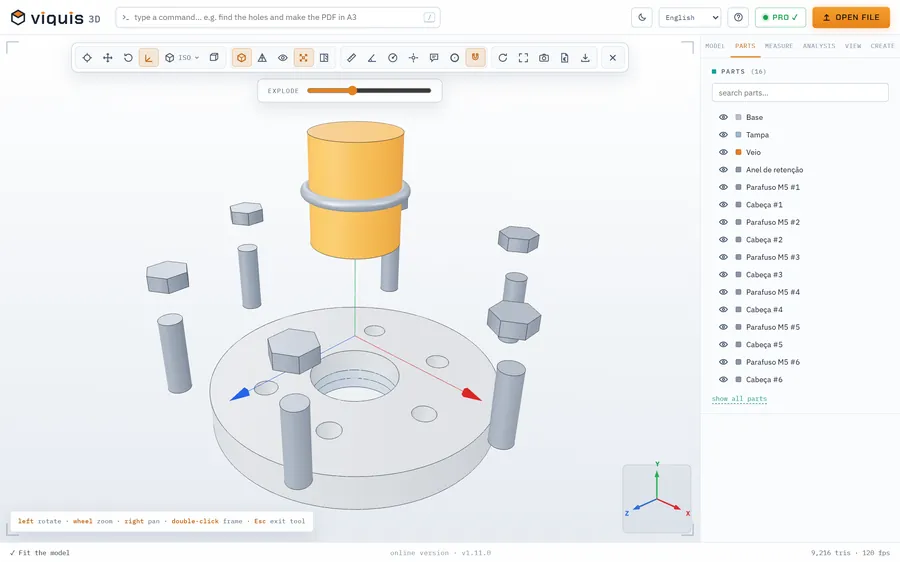
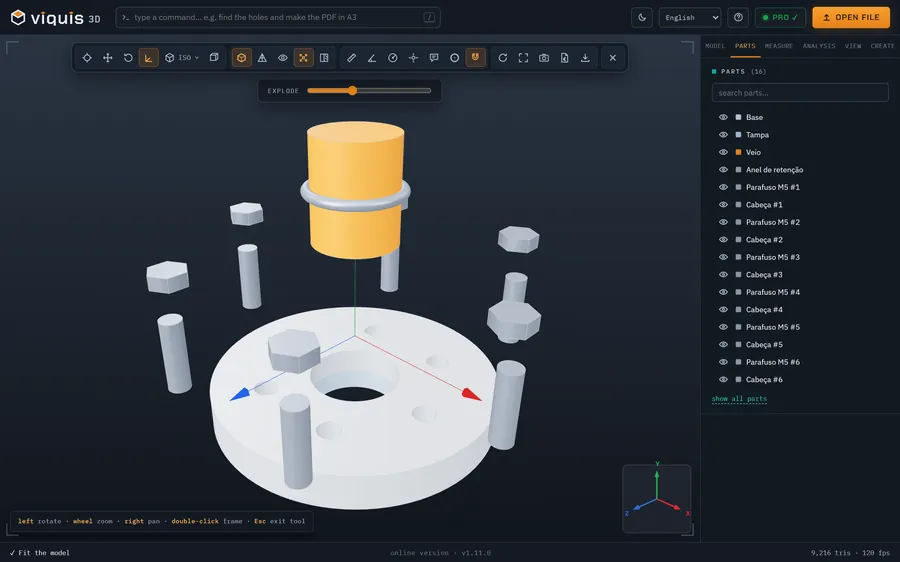
Got a .step or .stp file but no CAD software? Drop it into Viquis 3D and see the part in 3D, with the assembly split into parts, without installing anything.
Free
Free, no sign-up and no time limit. The file stays on your computer.
How it works
- 1
Click «Open a STEP file». The app opens in its own tab.
- 2
Drop the .step or .stp file onto the 3D area, or use Open file.
- 3
Rotate with the mouse, pick the views and see the list of assembly parts.
- 4
Measure distances and coordinates right on the model.
Why Viquis 3D
- Reads STEP, IGES and BREP with the OpenCASCADE engine, part by part.
- Files up to about 60 MB open comfortably in the browser; the installed version handles more.
- Also opens STL, 3MF, OBJ, GLB and 10 more formats.
- The file is read on your computer and never uploaded.
Questions
Do I need an account?
No. Open the app and drop the file. There is no sign-up and no file limit.
Is my STEP file uploaded to a server?
No. It is opened and drawn on your computer, in the online version too.
Can I convert the STEP to STL?
Yes, with Viquis Pro: open the STEP and choose Export → STL. Viewing the file is free.
Try it now
The app opens in its own tab with a sample assembly. Drop your file on top of it.
Opens in its own tab. Free; Pro is activated inside the app with your key.
More tools
STL viewer
View STL, 3MF and OBJ files in 3D and measure them, with nothing to install.
See the tool FreeFix scale and units
STL came in 25.4 times too small? Convert inches, cm or m to mm.
See the tool FreeLithophane maker
Turn a photo into a relief panel that shows up against the light.
See the tool FreeText to STL
Signs, plates and keychains with text, ready to print.
See the tool