Convert STEP to STL
Open the STEP, choose Export → STL and the file is ready for your slicer. The conversion runs on your computer, so the design never ends up on someone else's server.
Pro
Pro feature: Pro Online from €6.99 a month. Opening and viewing the file is free. See pricing
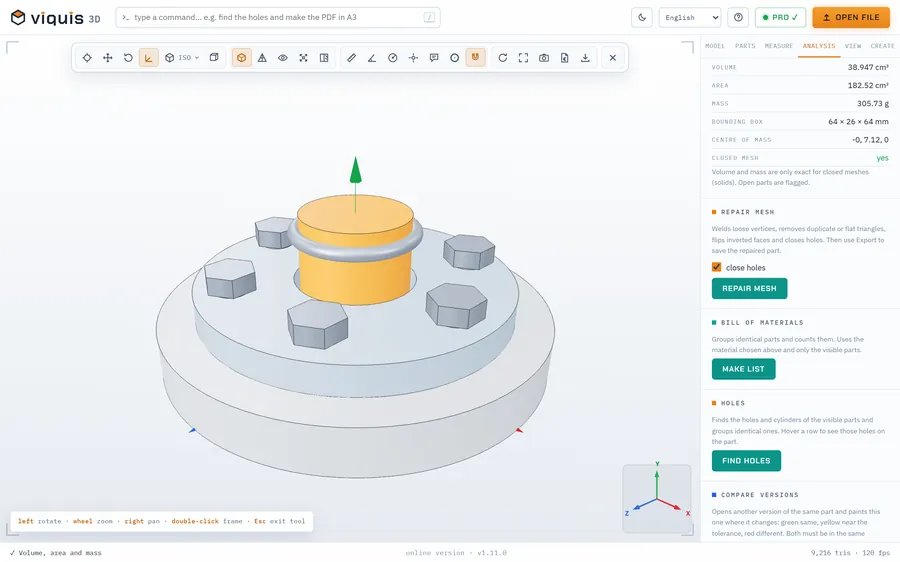
How it works
- 1
Open the STEP file in the app (viewing is free).
- 2
Leave visible only the parts you want to convert.
- 3
Click Export / convert and choose STL, 3MF, OBJ, GLB or PLY.
- 4
The file is saved at the current scale, with the parts in their assembled position.
Why Viquis 3D
- No upload: good for confidential customer designs.
- 3MF ready for Bambu Studio, PrusaSlicer and OrcaSlicer.
- In View → CAD mesh quality you can choose smoother curves.
- With Batch processing you convert many files at once.
Questions
Is the conversion free?
No: exporting is a Pro feature (Pro Online from €6.99 a month). Opening and viewing the STEP is free.
Will the STL have the right dimensions?
Yes. STEP files are almost always in millimetres and the STL keeps the same dimensions, at whatever scale you chose.
Can I convert just one part of the assembly?
Yes. Hide the other parts before exporting.
Try it now
The app opens in its own tab with a sample assembly. Drop your file on top of it.
Opens in its own tab. Free; Pro is activated inside the app with your key.
More tools
3D print cost calculator
Grams, metres of filament, time and cost of a print, from the STL.
See the tool FreeSTEP viewer
Open STEP and STP files in your browser, see the assembly parts and measure.
See the tool FreeSTL viewer
View STL, 3MF and OBJ files in 3D and measure them, with nothing to install.
See the tool FreeFix scale and units
STL came in 25.4 times too small? Convert inches, cm or m to mm.
See the tool